'%20stroke-width='9'%20/%3e%3cpolyline%20points='52,38%2032,60%2052,82'%20fill='none'%20stroke='url(%23g1)'%20stroke-width='9'%20stroke-linecap='round'%20stroke-linejoin='round'%20/%3e%3cpolyline%20points='68,38%2088,60%2068,82'%20fill='none'%20stroke='url(%23g1)'%20stroke-width='9'%20stroke-linecap='round'%20stroke-linejoin='round'%20/%3e%3ccircle%20cx='60'%20cy='60'%20r='7'%20fill='url(%23g1)'/%3e%3c/svg%3e)
T3 Code - The Bridge Between CLI and GUI in AI Coding

If you use Cursor or Claude Code, you already know that AI coding tools split into two camps: GUI-first (editors with built-in AI) and CLI-first (terminal agents). T3 Code steps right in the middle, and does it deliberately.
What is T3 Code?
T3 Code is a minimal web GUI for coding agents, a project built by Theo (pingdotgg), creator of T3 Stack and one of the most recognizable figures in the webdev community.
Getting started is simple:
npx t3Or grab the desktop app from GitHub Releases, Homebrew (brew install --cask t3-code), winget (winget install T3Tools.T3Code), or AUR (yay -S t3code-bin). That’s it, you get a graphical interface over CLI agents: today that’s Codex (OpenAI), Claude Code (Anthropic), and OpenCode.
The project is still officially early. The README says it plainly: “We are very very early in this project. Expect bugs.” Even so, the repo is past 11,000 GitHub stars within roughly three months of going public. Something resonates here.
The Problem T3 Code Solves
To understand T3 Code, you first need to see the tension that exists in the AI coding ecosystem.
Claude Code and Codex CLI are powerful. They work as autonomous agents, reading the project, planning changes, iterating. But they live in the terminal. For many developers that’s a barrier: no visual feedback, no conversation history in a readable form, no sense of a “control panel” over what the agent is doing.
Cursor and similar tools have a GUI, but their agent model is secondary, mostly an IDE with a chat tacked on. Great for editing, weaker when you want to delegate entire tasks.
T3 Code doesn’t try to be an editor. It doesn’t compete with VS Code. Its role is different: give a GUI to agents that already work well in the terminal.
Architecture, What’s Under the Hood
T3 Code is a presentation layer, not a new AI engine. The flow is simple:
T3 Code (GUI) ↓Codex CLI / Claude Code / OpenCode (agent) ↓OpenAI / Anthropic / model provider API ↓Your project (files, git, terminal)This means the power comes from the agent, not the GUI. T3 Code doesn’t add new AI capabilities, it adds a UX layer. That’s a deliberate choice: instead of building another model or another editor, Theo bet on the interface as the value itself.
Requirements: you need at least one of Codex CLI, Claude Code, or OpenCode installed and authorized. T3 Code alone, without an agent, won’t work.
What Does GUI Add Over CLI?
That’s the central question. Why a graphical interface if the agent works in the background anyway?
Process Visibility
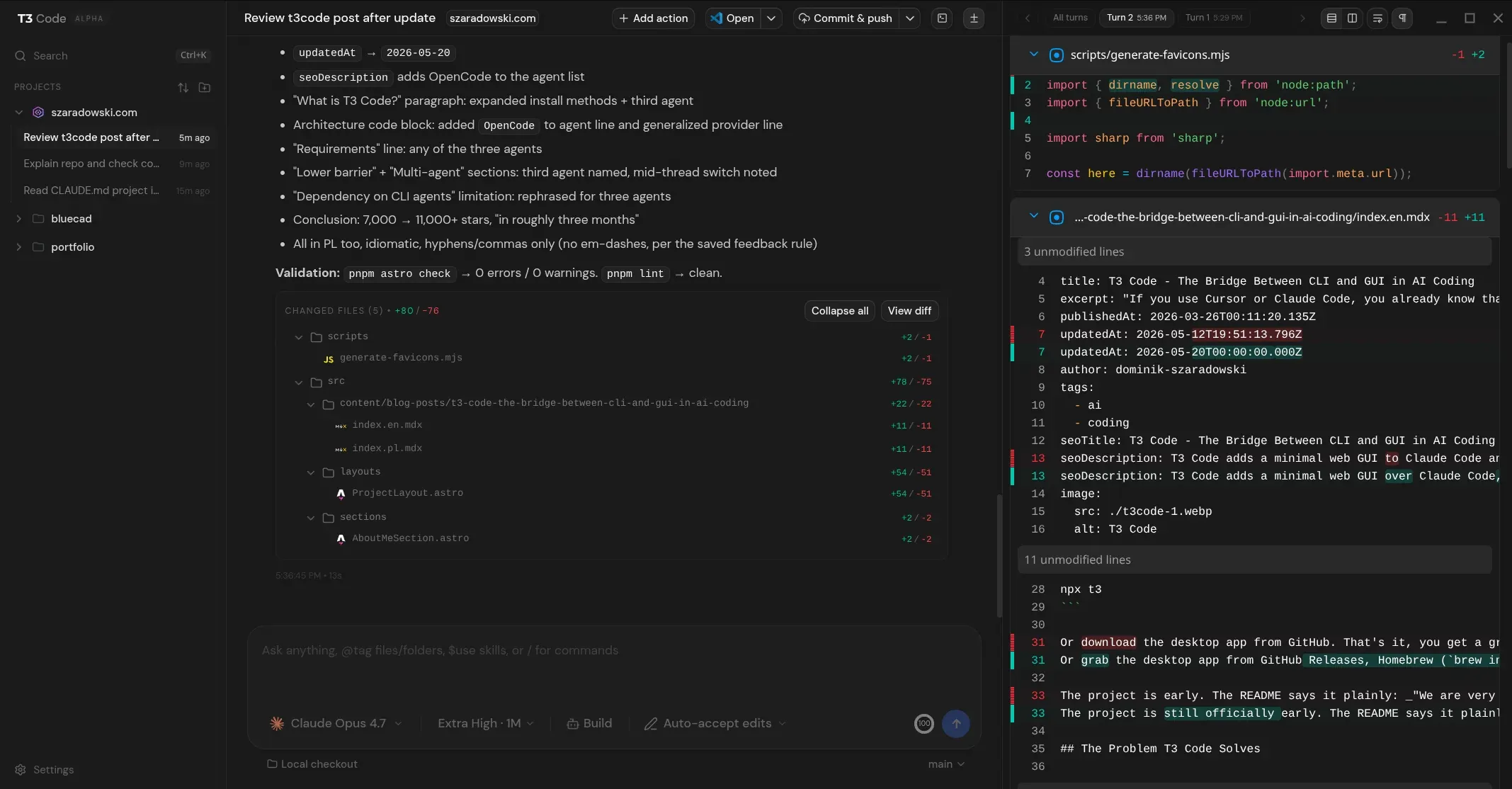
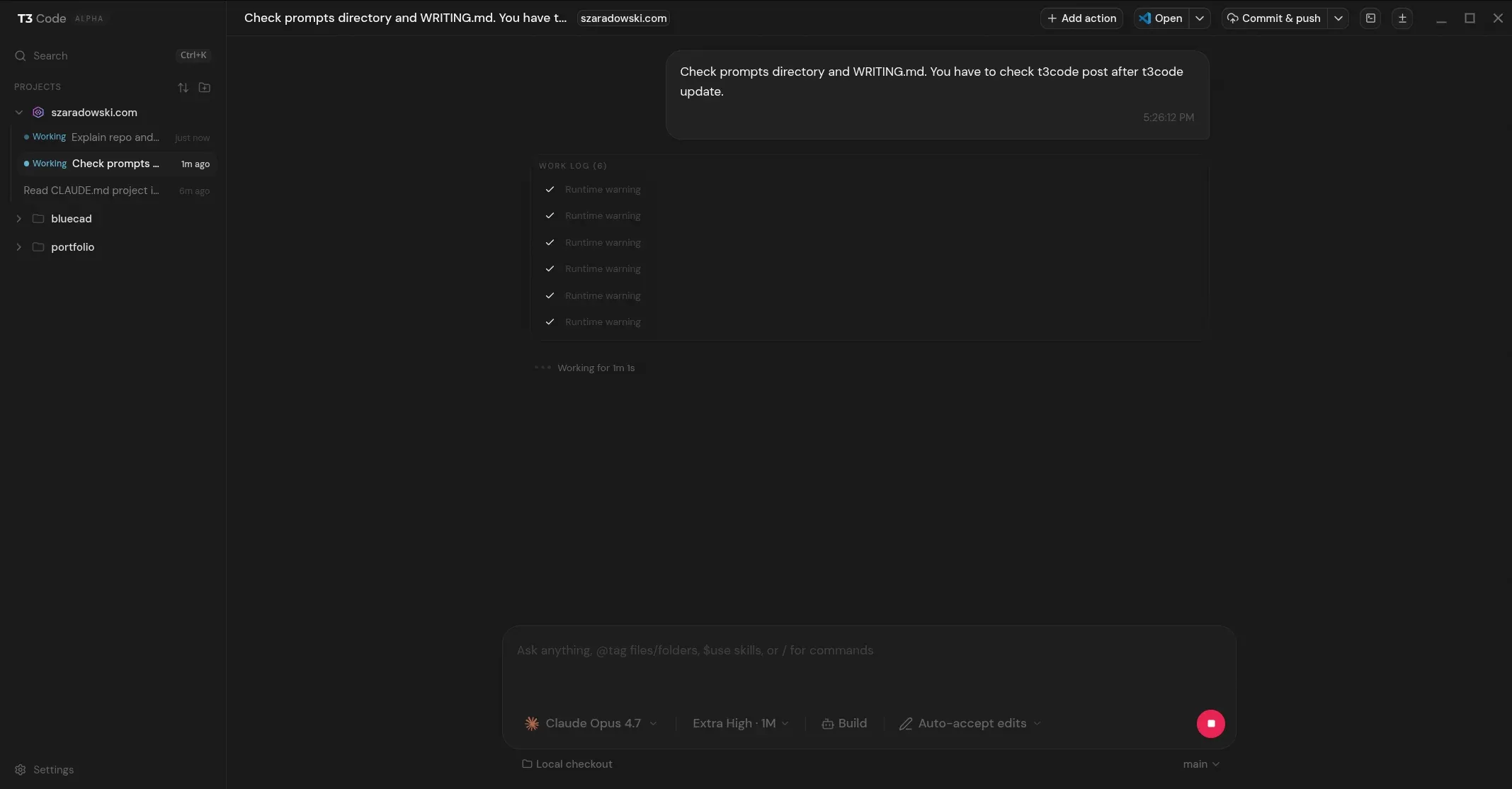
In the terminal, Claude Code writes to stdout, you see a stream of text. In T3 Code, the same output lands in a structured view: action plan, list of modified files, step status. For someone monitoring an agent on longer tasks, that’s a real difference.
Conversation History
The terminal doesn’t remember previous sessions in a readable form. T3 Code stores task history with browsing capability: what the agent did, which files it changed, what the result was.
Lower Barrier for GUI-Native Developers
Not every developer is comfortable with CLI. T3 Code opens the agent model (Codex, Claude, OpenCode) to people who would normally reach for Cursor, without needing to learn a terminal workflow.
Multi-Agent in One Place
Cursor is tied to one vendor (mainly Anthropic + OpenAI via API). T3 Code designs for multi-agent from the start: Codex, Claude, and OpenCode today, “more coming soon” per the README. One interface, multiple engines, and in practice you can switch model mid-thread instead of restarting the whole task.
How It Held Up in Practice
I tested T3 Code on this portfolio (Astro 6 + Vue 3 + Tailwind 4), whose content I just migrated off PayloadCMS into MDX files in the repo, to see whether I could work without an IDE. Day-to-day I live in Claude Code CLI or the CC extension in VS Code, so this was a deliberate step outside my comfort zone.
Underneath, Claude Code with Opus 4.7 on xhigh. The tasks were intentionally small: rounding images in posts, a reading-time component, a few visual effects, a Lighthouse score fix. The kind of stuff I’d normally tweak in the editor without bothering to spin up a dedicated terminal session. A bigger project like an AI-driven 3D model generator I’d keep in the CLI, where I get the full agent stream.
What worked: the agent delivered. Most tasks landed on the first try, sometimes with one follow-up nudge. The action plan and file list in the GUI genuinely helped me track what was going on during longer tasks.
What annoyed me:
- UX isn’t smooth yet. Small things (focus, scroll, cursor behavior in the panel) add up to a draining feel.
- The diff is hard for me to read. I parse changes faster in VS Code or plain
git diffthan in the T3 Code panel. - No live view of what the agent is generating. This is the biggest gap. In the terminal I see the stream, in T3 Code I mostly see the finished result. If you want to supervise rather than just trust, it’s missing.
- Desktop app crashes on KDE Plasma 6 (CachyOS). The desktop client occasionally killed the session. Not every day, but often enough to notice.
- Upstream API errors. Not T3 Code’s fault, but the GUI has no graceful handling for them beyond showing the error.
Limitations and Caveats
An honest analysis also means looking at what T3 Code doesn’t do (yet).
No code editor. T3 Code won’t replace Cursor for day-to-day editing. No inline suggestions, no diff view in an editor, no LSP integration. If you want to write code with AI next to your cursor, this isn’t that tool.
Early stage means instability. The project describes itself as very early. No external contributions accepted, no full documentation. This is a tool for early adopters, not for production teams looking for stable tooling.
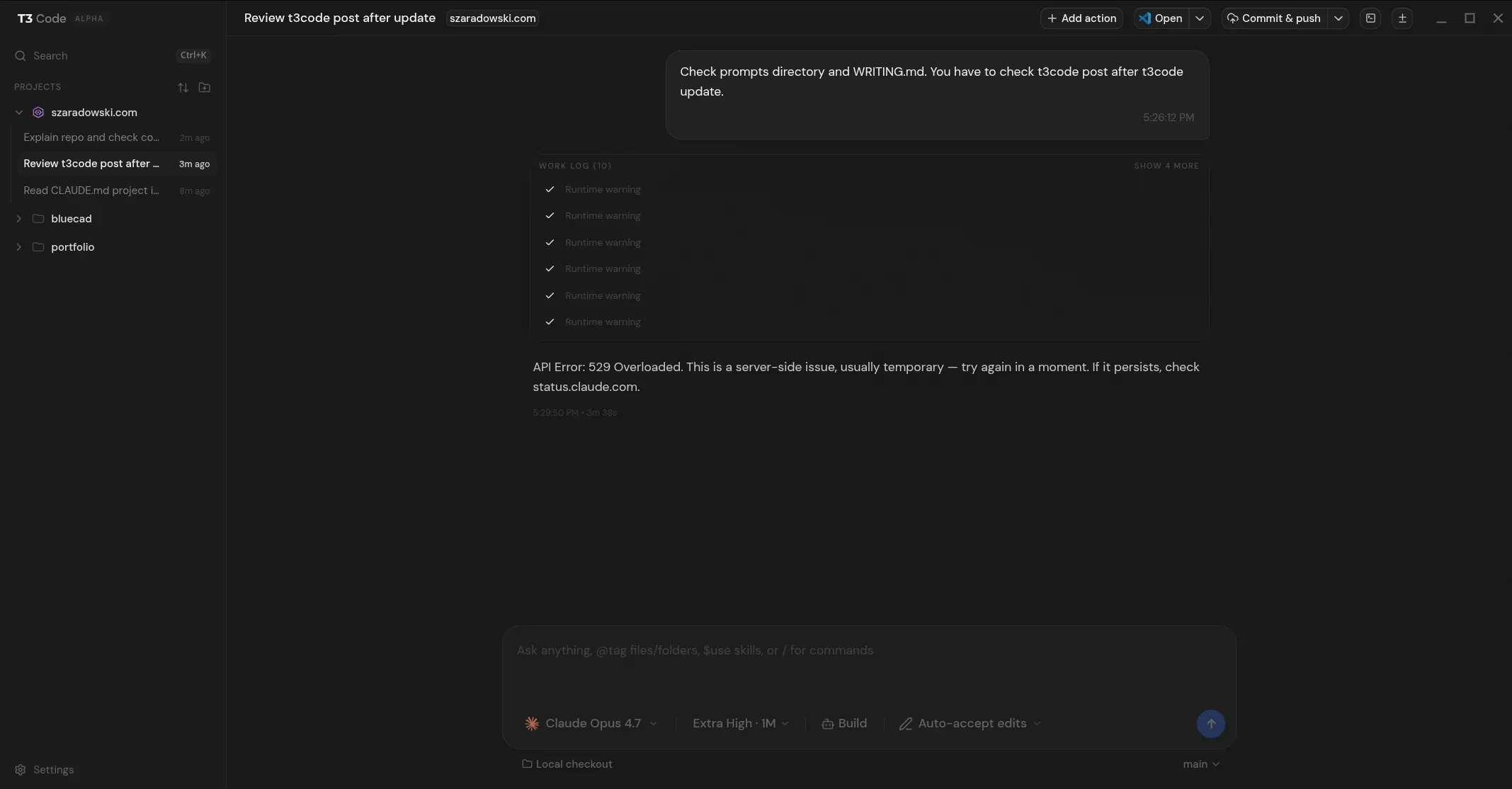
Upstream provider errors (here a 529 from Anthropic) get surfaced cleanly, but the GUI can’t paper over the fact that the underlying agent is at the mercy of API availability.
Dependency on CLI agents. T3 Code without at least one supported CLI agent (Codex, Claude Code, or OpenCode) won’t work. That’s an extra configuration step that could be a barrier for the less technical users a graphical interface was supposed to reach.
Where Does T3 Code Fit in the Ecosystem?
GitHub Copilot, inline autocomplete in IDE, no agent, low barrier to entry. For every developer.
Cursor, full IDE with AI, agent as an add-on to the editor. For the GUI-first developer who wants AI within arm’s reach.
Claude Code, pure CLI agent, no GUI, full autonomy. For the developer comfortable in the terminal.
T3 Code, GUI over an agent, no editor, multi-agent support. For the GUI-first developer who wants to delegate entire tasks.
T3 Code occupies a niche that was previously empty: the GUI-first developer who wants a full agent model. Cursor is getting closer, but its core is still an editor. T3 Code starts with the agent and builds a GUI around it, the reverse order.
Conclusions
T3 Code is an interesting answer to a real tension in the AI coding ecosystem. It doesn’t try to beat Cursor on its own turf (IDE + UX). It doesn’t try to compete with Claude Code on its turf (terminal + autonomy). Instead, it identifies a gap (the developer who wants an agent but doesn’t want the terminal) and addresses it.
11,000+ stars in roughly three months suggests the problem is real. T3 Code is backed by Theo, who already shipped T3 Stack and Uploadthing, so the odds of the project getting abandoned after two months are lower than for a random GitHub experiment.
If you already use Claude Code or Codex and the raw terminal interface frustrates you, T3 Code is worth trying. If you’re looking for stable, production-ready tooling, wait for a more mature version.
The divide between “AI in IDE” and “AI in terminal” is starting to blur, and T3 Code is one of the first projects consciously building a bridge between these two worlds.
Article based on personal experience with AI coding tools and analysis of the github.com/pingdotgg/t3code repository and t3.codes.
FAQ
Does T3 Code work without a paid API?
No. T3 Code is a GUI, the power lives in the agent underneath (Codex, Claude Code or OpenCode), and those run on OpenAI or Anthropic APIs. A Claude Pro or ChatGPT Plus subscription isn’t enough, you need a payg API key.
Does it work on Windows?
Yes, officially through winget install T3Tools.T3Code or npx t3. I tested it on Linux (KDE Plasma 6, CachyOS), where the desktop client tends to crash. The web version via npx t3 is more predictable.
How is T3 Code different from Aider or other LLM GUIs?
Aider is itself an agent, with its own edit logic and strategies. T3 Code isn’t an agent, it’s a GUI over existing CLI agents. The philosophy is reversed: all the intelligence sits in the tool underneath, T3 Code just wraps it in a window.
What about code privacy?
The same as with plain Claude Code or Codex CLI, T3 Code doesn’t send anything on its own. All requests go directly to the provider’s API. If you work under NDA, check the provider’s logging policy, not the T3 Code config.
Does it support a full multi-repo workflow or monorepos?
It starts wherever Claude Code starts (any directory with files). Full monorepo / workspace support, like in a modern IDE, isn’t there yet. Right now it’s a single-project use case.
When can we expect a stable version?
The README says “we are very very early”, there’s no public roadmap, and Theo is shipping several other projects in parallel. If you’re waiting for production stability, give the project at least another six months of watching.